
Leap Share – Fast Cross-Platform Wireless File Transfer for iOS, Android & Windows
Leap Share is a fast, cable-free wireless file sharing app and AirDrop alternative for Windows, iOS, and Android. Transfer full-resolution 4K videos, large photos, documents, and folders directly across local Wi-Fi or hotspots up to 150MB/s without cloud bandwidth limits, file compression, or internet dependency.


 15K+ Downloads
 100K+ Downloads
 200K+ Downloads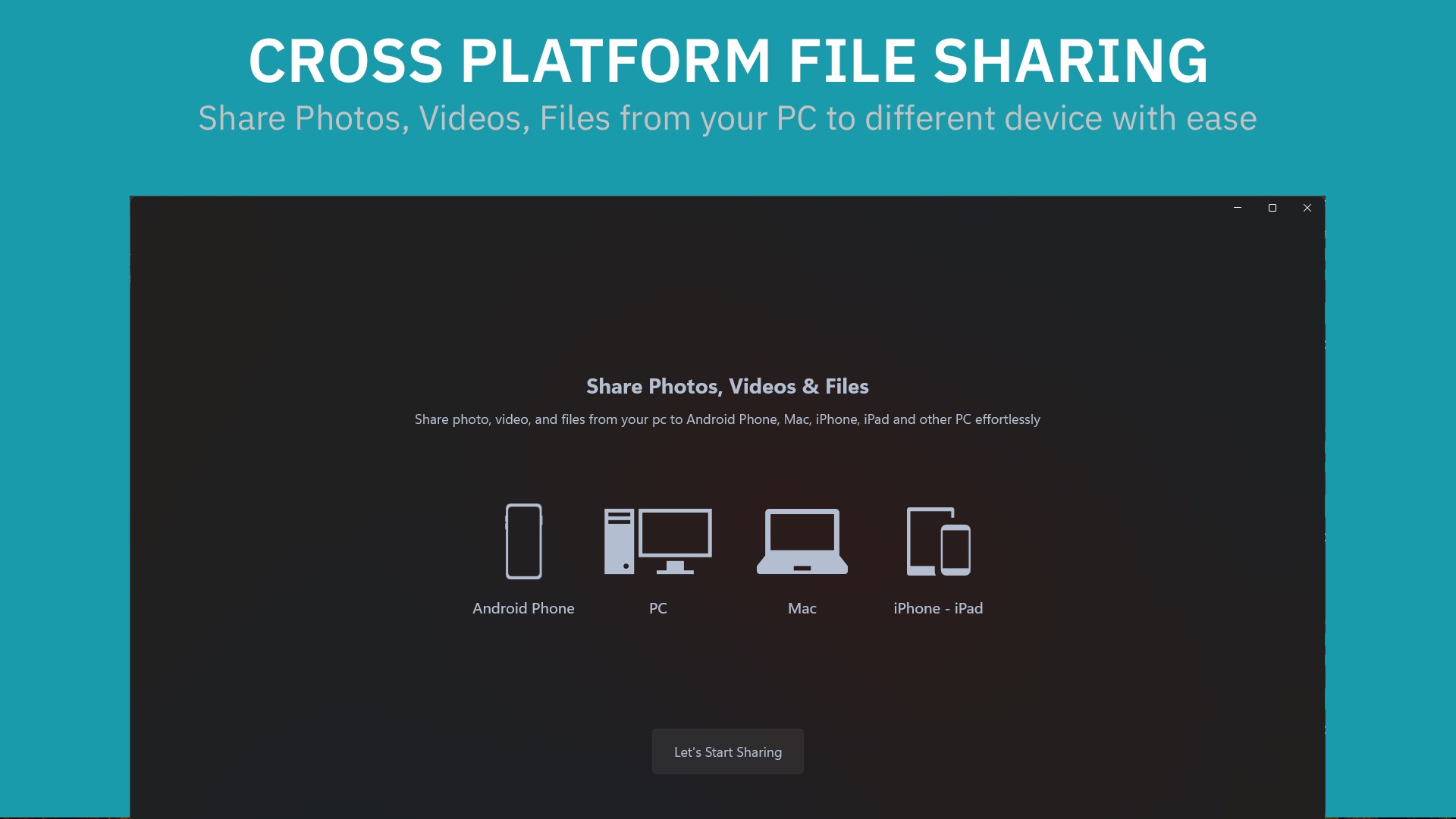
“Exceptional”
“One of the best app to Share files”
“Extremely quick!”
“Only App which worked for me”
“must use offline file transfer software and app”
Transfer files instantaneously
Leap Share for iOS

Key Features
Fast Transfers
Share photos, videos, and any file type at maximum Wi-Fi speeds.
Simple & Secure
Transfers happen directly over your local Wi-Fi or hotspot for ultimate privacy.
Intuitive Design
Clean, user-friendly interface.
Universal Cross-Platform Support
Bulk File Sharing
Transfer multiple files simultaneously.
Browser-Based Receiving
No app installation required on receiving devices – open a browser and start receiving files.
Leap Share for Android

Leap Share for Windows
Frequently Asked Questions
Common questions about Leap Share wireless file transfers between iOS, Android, and Windows.
iOS Transfer FAQs
Learn how to share files between iPhone, Windows, and Android without iTunes or cables.
Android Transfer FAQs
High-speed hotspot transfers, APK sharing, and cross-platform compatibility.
What Users Say
rakshan
Exceptional
"This app is just insane I transferred my 7 gb video from my phone and it came with full quality no lag spikes no noting if your looking for file tranfer download this app"
Prajapati
One of the best app to Share files
"I like this app, we can easily share files from one PC/Mobile to another"
Alexandre
Extremely quick!
"I wanted to transfer 1.41GB of files over to my phone and other apps where taking like 30mins just to transfer one file which is so dumb. This app was quick and supports a large amount of files to transfer at the same time. Honestly, I'm impressed as I was searching for hours for a quick and reliable way to transfer my files and this app was so easy to do so! Would definitely recommend if you have a lot of files or even a bit of files."
Talal
Only App which worked for me
Mool Chand
must use offline file transfer software and app
"this is a freeware to transfer files from pc to another pc or from pc to android app offline. I never see any software which can transfer a file on the speed of 150MB/s this is amazing...."
Juan Manuel
Por ahora, excelente (So far, excellent.)
"Recién descargué la app, hice algunas pruebas y hasta ahora todo perfecto! funciona de maravilla, transferí un archivo de 2GB en 20 segundos (I just downloaded the app, did some testing, and so far everything is perfect! It works wonderfully. I transferred a 2 GB file in 20 seconds.)"
...and so many more
Try Leap Share
Lightning-fast, offline wireless file transfer between iPhone, Android, and PC.
More Apps from Define Studio
Discover more powerful, lightweight tools built for modern platforms.

Melosik→
Beautiful offline music player with lyrics, Genius insights, and FLAC support.
Photo Scan→
Extract text from images (OCR), merge/edit PDFs, and generate QR codes 100% locally.

Socialize Up→
Manage multiple X, Instagram, Reddit, and Facebook accounts in a single desktop app.
One Messenger→
All-in-one secure messenger with multi-account support and Windows Hello security.

Nextpad→
Fast, fluid Notepad replacement supporting Markdown preview, RTF, and plain text.

Flow Mail→
Manage multiple email inboxes in one sandboxed client with split-view multitasking.